
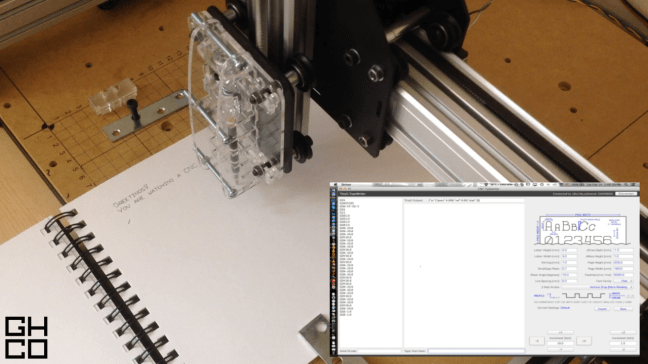
An adaptation of the Machine Writing project: first forays into live machine communications.
INTRO
If this build is a Typewriter, the Machine Writing program was a printing press. More of a modification than a full build, the CNC Typewriter project is my first application of live serial communications with the TinyG stepper motor driver board, and was ultimately intended to shorten the distance between user and machine.
BUILD
In order to make an intuitive interface with a robot, there must be a degree of customization in the method of interaction between the machine and the user. Conventional CNC driver programs are great, but they are built to send a toolpath file and execute it in one go. There is no feedback in this system, which makes it less than ideal for applications receiving real-time input from the real world. As such, this project called for an entirely custom software environment.
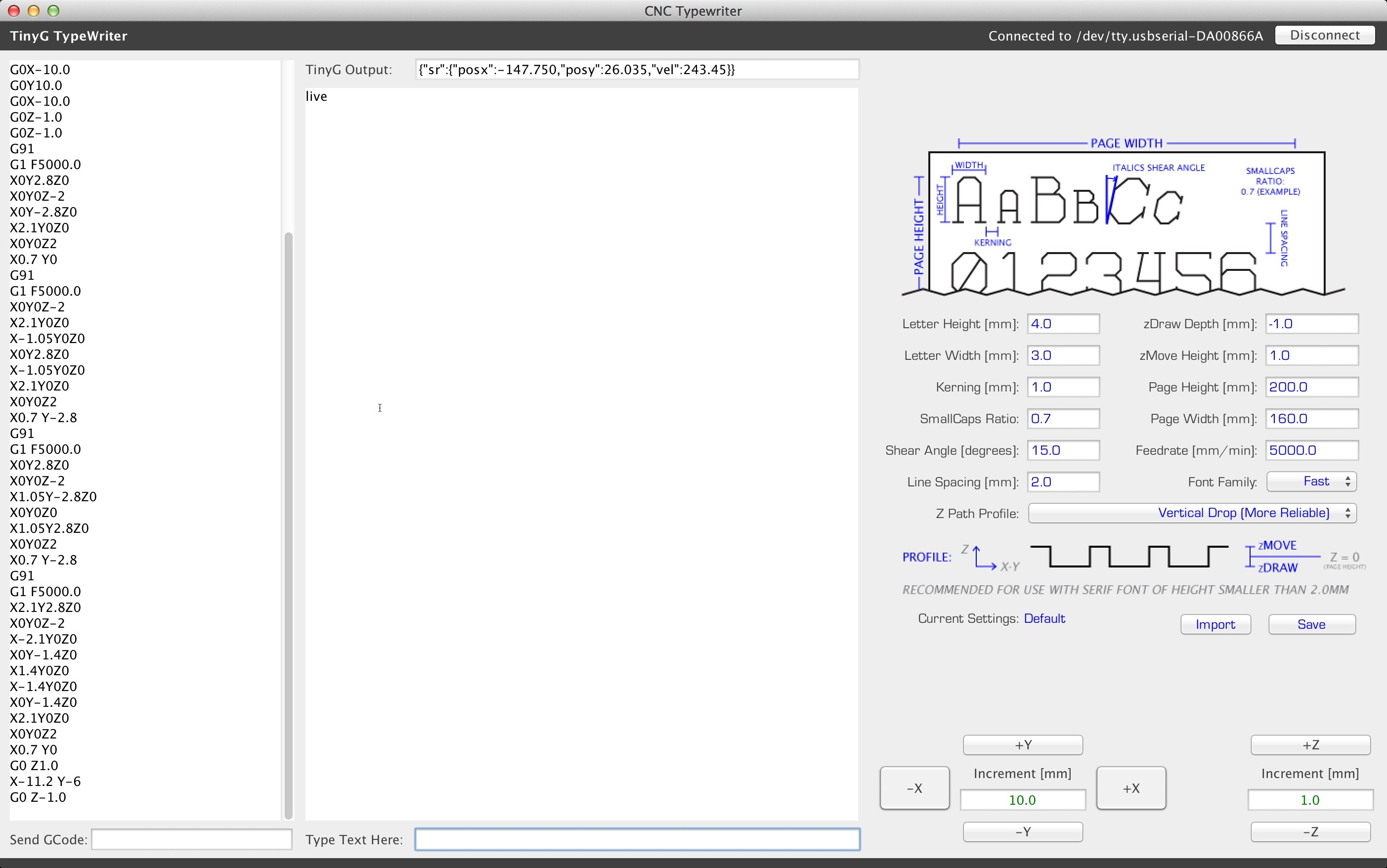
You’ll see that the GUI has changed a bit from the previous iteration. It’s slowly but surely shifting from a type and document editing tool to a communications terminal. In future builds I’ll likely reuse many of the GUI elements from this project, because every TinyG-controlling program will need a GCode terminal, TinyG communications terminal, connection doctor, and input method.
All of the live communications are done using the Java Simple Serial Connector. Its name sums the package up perfectly in four words: it makes establishing serial communications in Java amazingly simple and smooth. Thanks to the wonderful JSSC resource, the possibilities for control systems are nearly endless.
OPERATION
In the above video you can see the back and forth between the keyboard input and the machine operation. It’s quite reliable, but has the obvious drawback of being slow (~20wpm max). The entire operation has been moved from absolute to relative coordinates, which is a big (and extremely useful) jump from the previous iteration Machine Writing program. As such, there is no need for homing, and the user is free to move around the toolhead using either the buttons on the GUI or the keyboard arrow keys. These features allow for a streamlined, straightforward user experience: all you have to do is connect, get the toolhead to the desired location, and type away.
(Fun side comment: The screencapture in the video was done using a quick shell script that takes screenshots for a given length of time. The image sequence was then spliced together into a video using Blender. Unfortunately, the “screencapture” command for Macs is pretty slow, and invariably takes ~0.2 seconds per picture. As such, the feed from the computer screen is pretty choppy, running at only 5 fps. All above video editing done in Blender 2.70)
The writing speed could probably be upped to ~35wpm by implementing a more fluid font. I’ve been toying around with the idea of making a script (cursive) font, which would greatly increase speed as the pen would only need to be lifted between words, not between letters. It’ll likely never come to fruition, though, because it would require a complete overhaul of the letter handling system and to be frank I’m ready to move on to other new and exciting projects.
TAKEAWAY
The main goal of this build was to apply the newfound capability for live communications to my existing writing program. I would say it has more than adequately served as a proof-of-concept for the capabilities that live communications offer.
While this is, in one form or another, a live interface with a robot, it’s still a bit too disconnected for my tastes. I think that most of the fun in making machines comes from interacting with them. With this project the time barrier between user input and machine motion was mostly torn down, and being able to move the pen around with the arrow keys is a first sweet taste of what’s to come. But it was only that: a taste.
The real question now is where to next?
Thanks for reading, and keep an eye out for new posts on the way!
GH
 Bits, Bots, and Miscellania